The operating system we built for a painting company
 By Rob Pene · October 13, 2026
Leads came in from everywhere, estimates were booked by phone tag, colors were approved on paper, and the owner couldn't see the numbers in one place.
For a family-owned residential painting company in Southern California, we built seven simple tools that cover the job from first contact to signed colors: a lead tracker with a 3-day follow-up plan, a self-booking estimate calendar, an AI proposal builder, a homeowner bid comparison guide, a paperless color sign-off, a revenue dashboard and an estimator hiring test. All seven are built and live, and the lead tracker runs the office's day. This is the same company whose ads turned $65,309 into $270,277 in signed jobs.
The client
A family-owned residential painting company serving the South Bay, Palos Verdes and Long Beach areas. Interior, exterior and cabinet work, with estimators who run their own appointments and an office team that handles leads and scheduling.
They were already good at the work. The trouble was everything around it: leads that got one call and no second try, estimates booked by text, proposals written late at night, color choices on a paper sheet, and sales numbers spread across a project board and a few spreadsheets. None of it needed expensive software. It needed a few tools that fit the way this team already works.
The system, one step at a time
Each tool solves one problem at one step of the job. They connect to the company's existing project board, Google Calendar and email, so the team didn't have to switch software.
- 1Lead comes inLead tracker
- 2Estimate bookedSelf-booking estimate calendar
- 3Proposal writtenAI proposal builder
- 4Homeowner compares bidsHomeowner bid comparison guide
- 5Colors approvedPaperless color sign-off
- 6Owner sees the numbersRevenue dashboard
- 7HiringSales estimator assessment
Lead tracker
The problem: Leads arrived by phone, Yelp, Facebook, email and the website, and some never got a second follow-up.
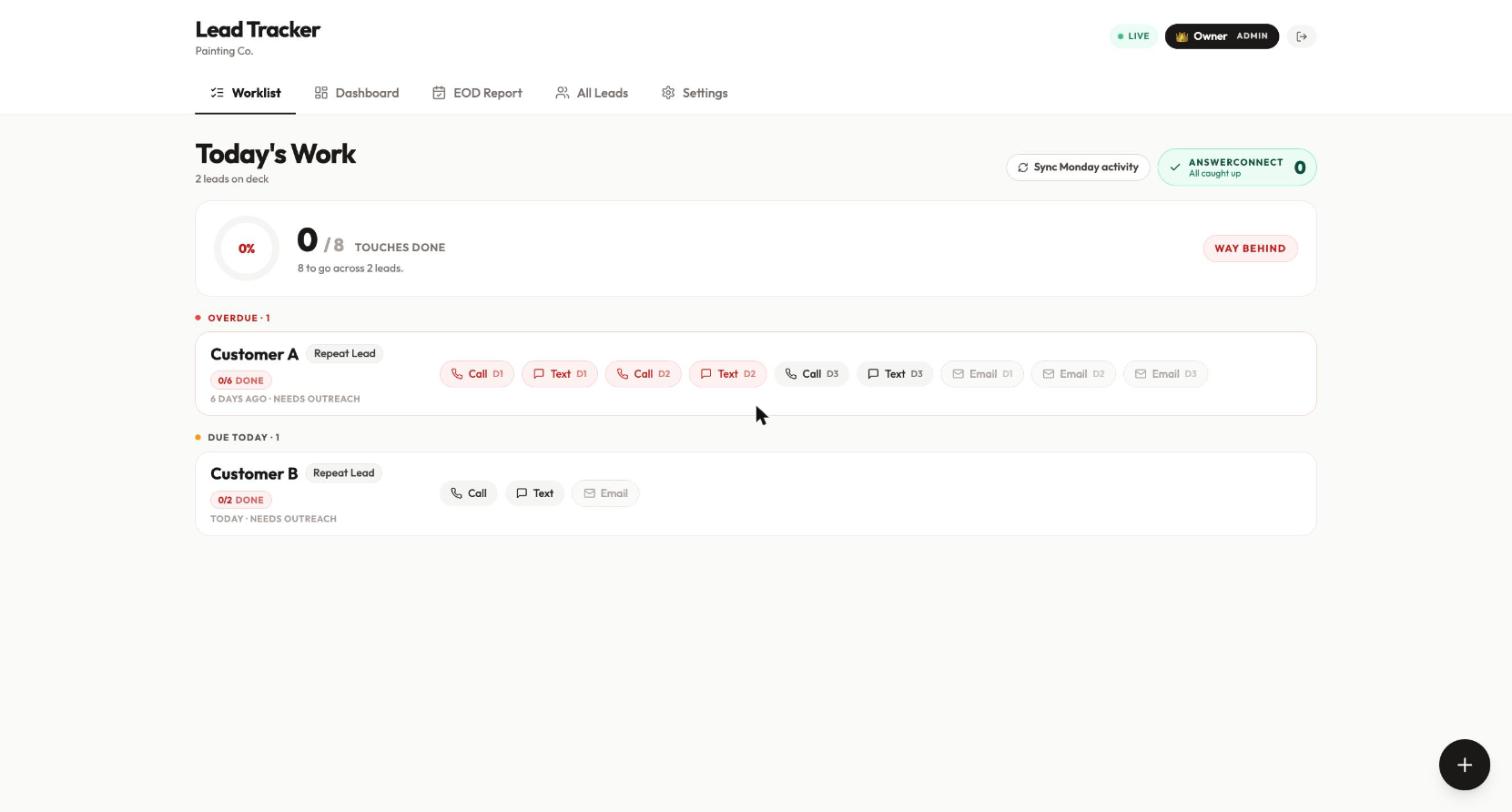
What we built: One worklist for every lead, with a 3-day follow-up plan (a call, a text and an email each day) and a clear view of who is overdue.
- New leads arrive automatically through Zapier, by bulk import, or from a screenshot that AI reads (a Yelp message, a Facebook inquiry, an email).
- Duplicate leads within 24 hours are merged, so nobody calls the same person twice.
- When an estimate gets booked in the company's project board, the tracker marks the lead as converted and credits the estimator.
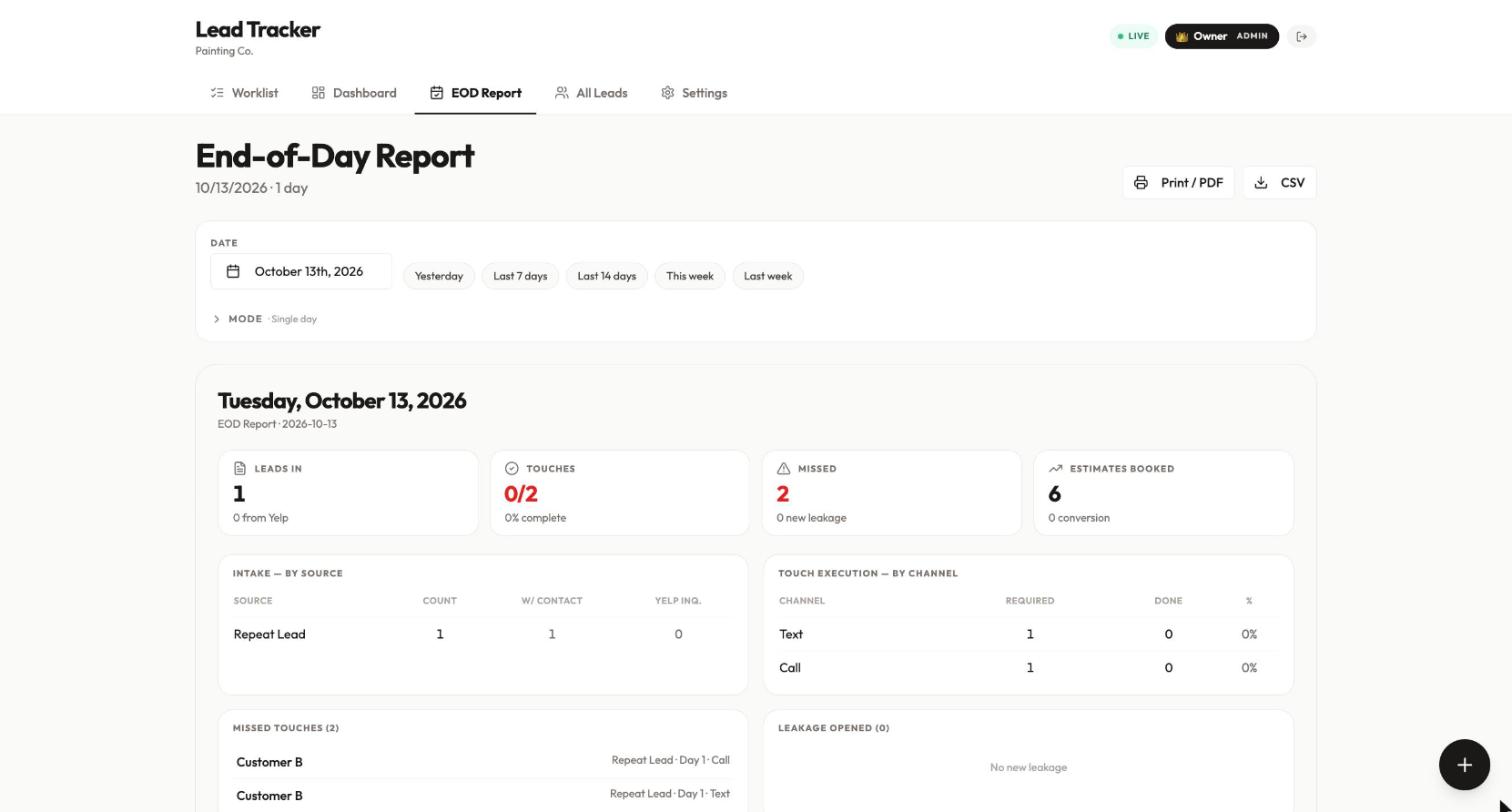
- Every night the team gets an end-of-day email: leads in, follow-ups done and missed, estimates booked, and a scorecard for each person.
Used by: Office team, estimators, owner
Self-booking estimate calendar
The problem: Booking estimates by phone and text took back-and-forth, and estimators zigzagged across the county in a single day.
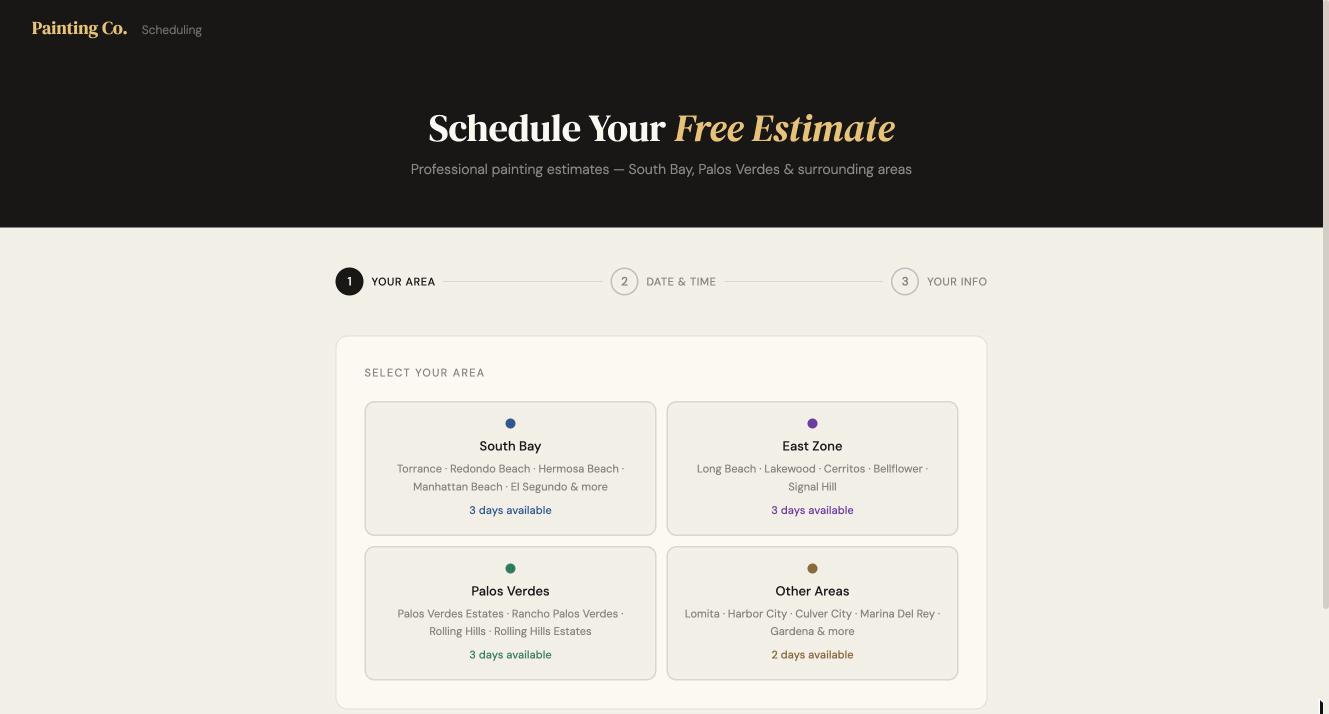
What we built: A booking page where homeowners pick their area, a day and a time, and the estimate lands on the estimator's Google Calendar.
- Homeowners choose their area first (South Bay, Palos Verdes, East Zone and others), then see only the open times for that area.
- Once a day gets its first booking, that day locks to that area, so an estimator's appointments stay close together.
- The owner sets each estimator's workdays, hours, areas, blocked days and how far ahead people can book.
Used by: Homeowners (booking), owner (setup)
AI proposal builder
The problem: Writing a detailed proposal after every walkthrough took hours, so proposals went out late or thin.
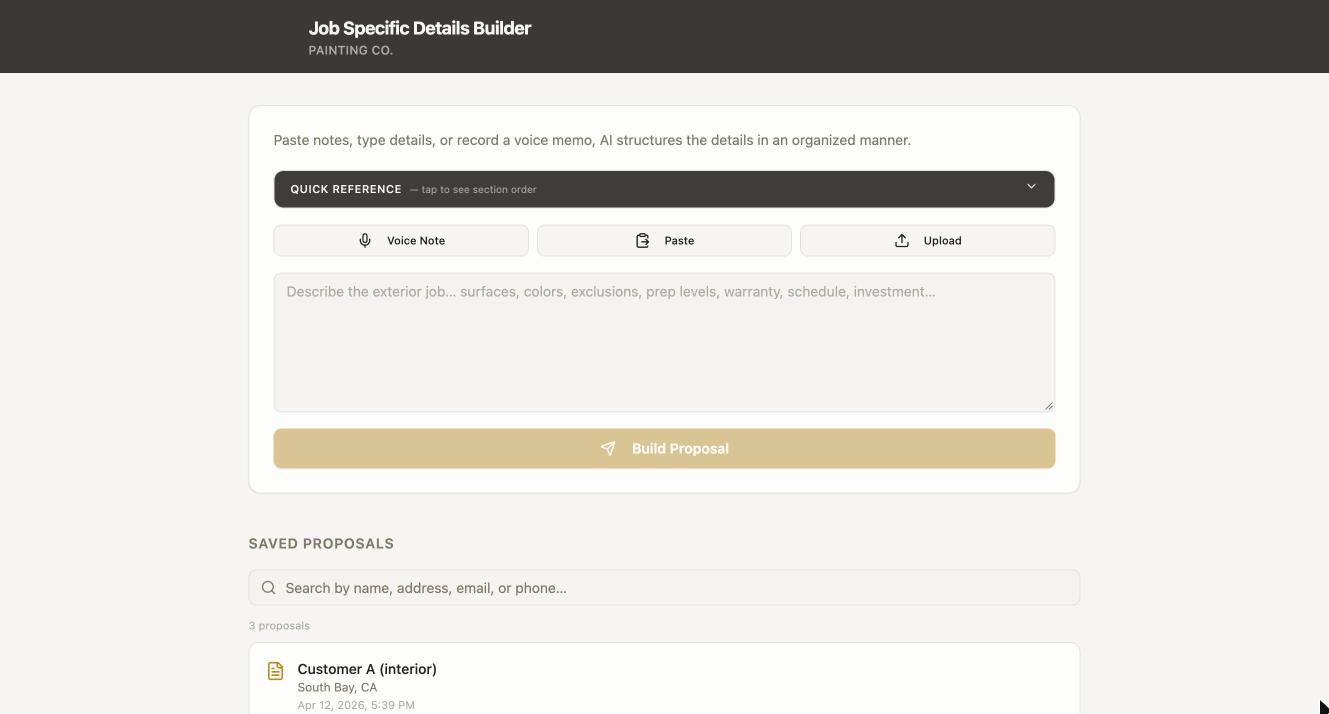
What we built: The estimator records a voice memo or pastes notes after the walkthrough, and AI turns it into a complete, organized proposal.
- Input is a voice note, typed or pasted notes, or photos.
- AI fills in the scope, surfaces, prep and process steps, job-specific details, colors and sheens, exclusions, warranty, schedule, price and deposit, plus suggested add-ons.
- The estimator edits, previews and prices it, then saves it. Past proposals are searchable and can be duplicated for the same customer.
Used by: Estimators
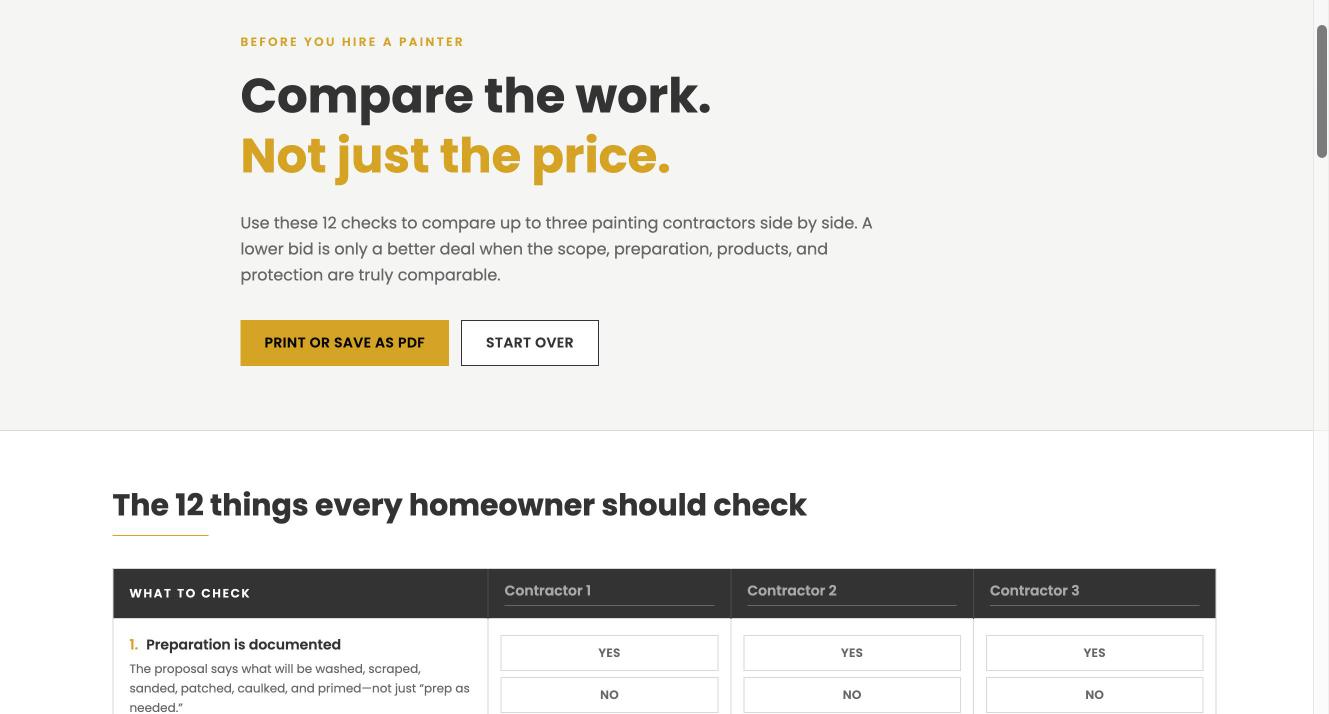
Homeowner bid comparison guide
The problem: Homeowners compared bids on price alone, which made detailed, higher-quality proposals look expensive.
What we built: A free guide homeowners use to compare up to three painting bids on the 12 things that actually change the result.
- Twelve checks, like whether prep is documented, primer is specified and the number of finish coats is stated.
- For each contractor, the homeowner marks yes, no or not specified, then prints it or saves it as a PDF.
- A detailed proposal scores well on every line, so the comparison works in the company's favor.
Used by: Homeowners (as a sales and marketing tool)
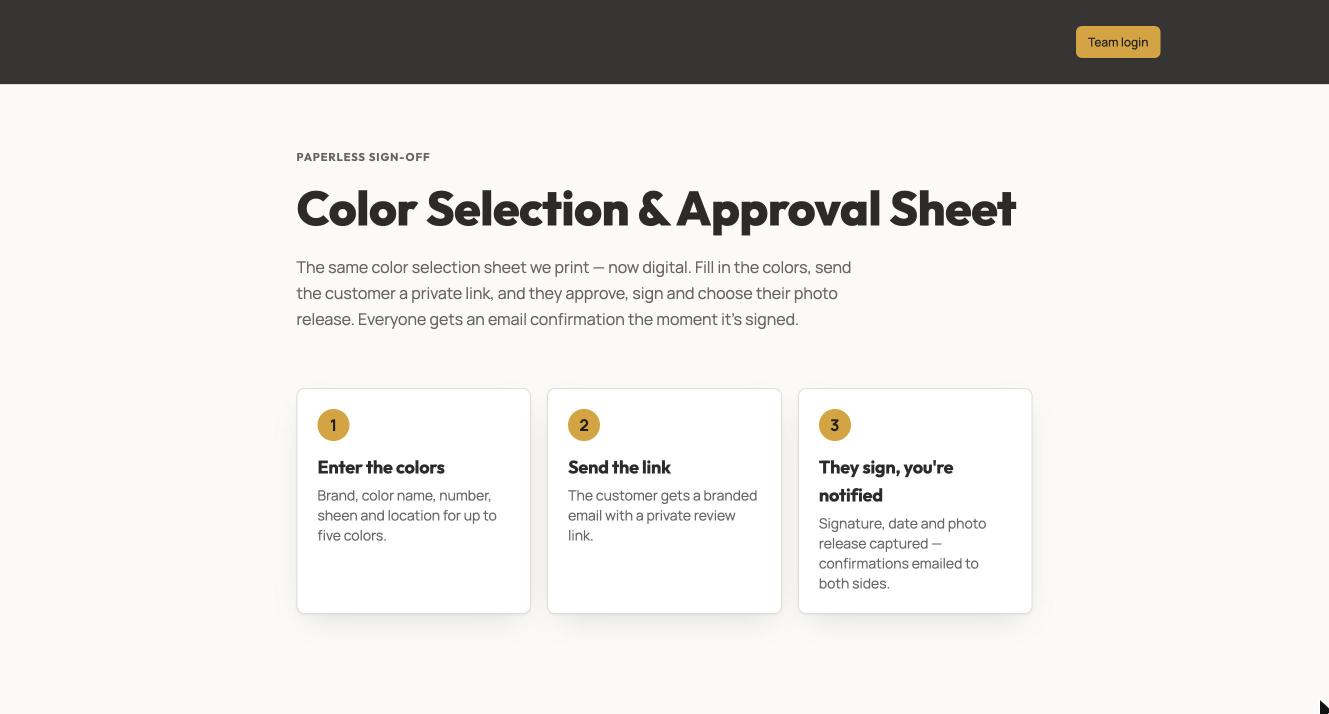
Paperless color sign-off
The problem: Color choices were approved on a printed sheet, which got lost, delayed jobs and caused do-overs.
What we built: The same color sheet, now digital: the office enters the colors, the customer gets a private link, and they review, sign and approve online.
- The office enters up to five colors with the brand, color name and number, sheen and where each one goes.
- The customer gets a branded email with a private link, reviews the colors, signs on screen and chooses a photo release.
- Both sides get an email confirmation the moment it's signed, and the dashboard shows what's been sent, opened and signed.
- An AI preview repaints a photo of the customer's own house in the chosen color, with a before-and-after slider.
Used by: Office team, homeowners, owner
Revenue dashboard
The problem: The owner couldn't see estimates, proposals, accepted jobs and ad spend in one place.
What we built: One dashboard for the sales side of the business, from booked estimates to accepted proposals to revenue against the annual goal.
- Shows close rate, booking-to-proposal rate, average job size, wins and losses, and pace to the annual goal.
- Compares estimators, breaks down lead sources, and shows return on ad spend for each marketing channel.
- Data comes in from a CSV, from a screenshot that AI reads, or from the company's project board, with a check for duplicates.
Used by: Owner, sales manager
Screenshot withheld: this dashboard shows the client's private revenue.
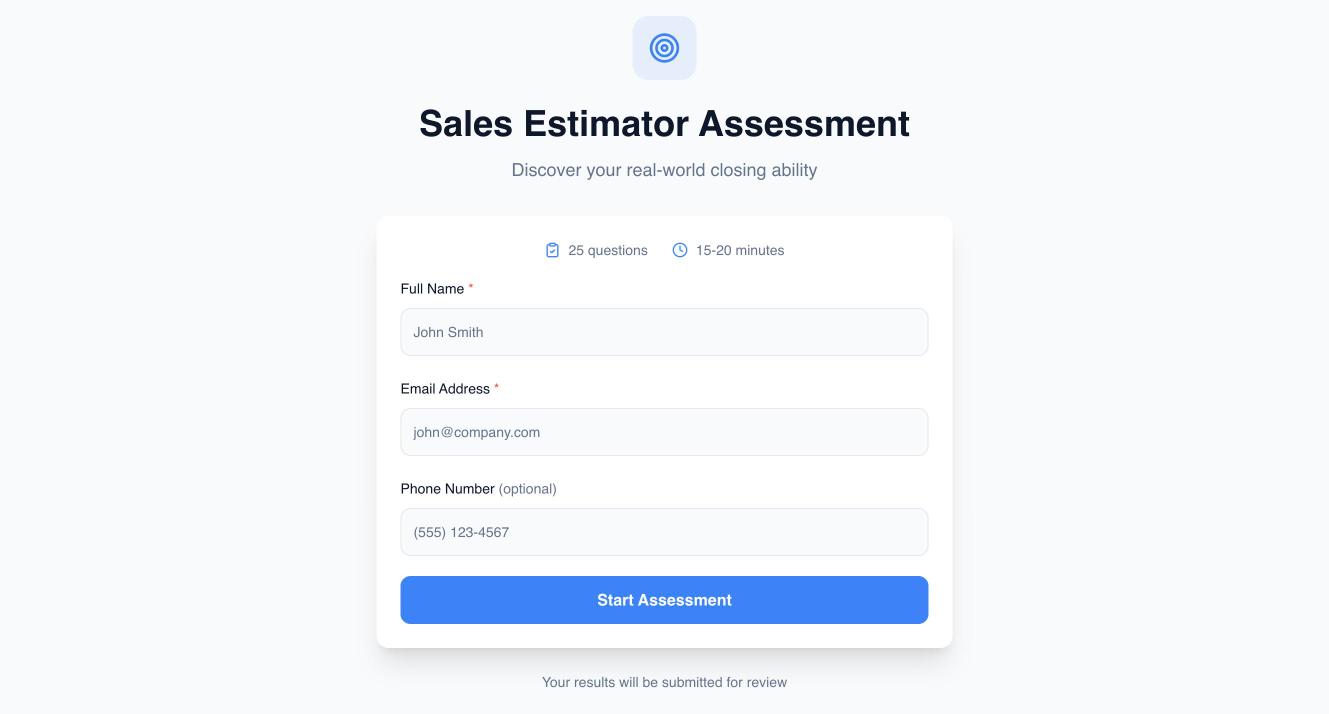
Sales estimator assessment
The problem: Hiring estimators was guesswork. Interviews didn't show who could actually close.
What we built: A 25-question test candidates take before an interview, scored automatically with an AI summary of each person.
- Takes 15 to 20 minutes and scores each candidate out of 125, with a score for each skill area.
- AI writes a short summary of each candidate's strengths and gaps.
- The owner sees every answer in an admin view and can export results.
Used by: Candidates, owner
What changed for the team
- Every lead has a plan. Each new lead gets a scheduled call, text and email for three days, and the office sees who is overdue first thing in the morning.
- The owner gets a daily scorecard. A nightly email shows leads in, follow-ups done and missed, and estimates booked by each person.
- Proposals start from a voice memo. An estimator talks through the walkthrough and gets a full, organized proposal back to edit. Color approvals happen online instead of on paper.
- Homeowners can book and approve on their own time. They book estimates by area and sign off on colors from a private link.
- Hiring starts with data. Estimator candidates take a scored test before anyone spends time on an interview.
What's not built yet
The system covers the sales side of the job, from first contact to approved colors. Crew scheduling and invoicing still run on the company's existing tools. That's on purpose: we started where leads and revenue were leaking, not where the software was most interesting.
How this connects to the ads results
This is the same painting company from our home service ads case study, where $65,309 in ads turned into $270,277 in signed jobs and Google Local Services Ads returned $11 for every $1. The ads brought in the leads. These tools make sure each lead gets followed up, booked, quoted and approved. Fast follow-up is a big part of why paid leads turn into signed work: see our guide to speed to lead.
Could you use a system like this?
Tools like these take days or weeks to build, not months, because each one does one job well and plug into the software you already use. We start by finding where your business loses leads or time, then build the smallest tool that fixes it. See every tool we've built on our tools page, or read how our custom AI tools service works.
Find out what your leaks are costing you
Book 30 minutes with Rob. You'll leave knowing your biggest leak and what fixing it is worth, even if we never work together.