 7:20
7:20Why build a custom dashboard?
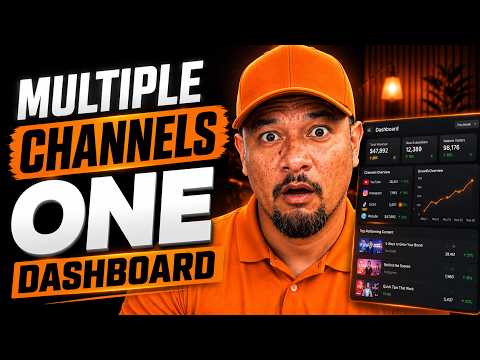
Rob manages several YouTube channels. Checking each one in YouTube Studio is slow. He wanted one screen that answers his daily questions: how many views did we get this week across every channel, and which videos are winning?
What does the dashboard show?
- Totals across all six connected channels. In the demo week, that was 51,000 views in seven days.
- Daily performance, watch time and subscribers.
- A side-by-side comparison of every channel.
- The top-performing videos across all channels.
- Filters for one channel, the last 48 hours or the last 28 days.
- A goal tracker. Rob's goal was 200,000 views by the end of November, with the days left counting down.
What's the hard part nobody tells you?
Building with AI is great for the front end, the part you see. The back end takes more credits and more brain power. To pull real numbers, Rob had to set up an app in Google Cloud and connect YouTube's API.
That app also runs in "test mode" until Google approves it, which limits how many accounts can use it. And things break: in the video, one number stops showing, and Rob fixes it by describing the problem to Lovable.
How does Rob build tools like this?
- Talk the idea through with ChatGPT and Claude at the same time.
- Have Claude mock up the screens so you can see the dashboard before building it.
- Ask for a requirements document you could hand to an AI builder or a real developer.
- Build in phases. Ask the AI to break the work into small chunks. It saves credits and money.
- Keep it small. A minimum viable product is minimal for a reason. Add features later.
What could a dashboard do for your business?
Most owners log into five tools to answer one question. A custom dashboard can put leads by source, calls, booked jobs and revenue by ad on one screen. That's the heart of our lead tracking service.
Dashboards are one of many tools we build. See the onboarding app Rob built from a 16-page PDF, or the QR code platform he built with Claude Code. If you want one built for your business, start with our custom AI tools service.
Common questions
Can I see multiple YouTube channels in one dashboard?
Not side by side in YouTube Studio. A custom dashboard connected to YouTube's API can show all your channels together.
Do I need to know how to code?
Not to build the screens. AI builders like Lovable handle that. Connecting YouTube's data takes some setup in Google Cloud, which is where most people get stuck.
What does YouTube API test mode mean?
Until Google approves your app, it runs in test mode, and only a limited number of test accounts can use it. That's fine for your own channels.
Can you build a dashboard for my business numbers?
Yes. We build dashboards that pull leads, calls, jobs and ad spend into one view, using the tools you already have.

About Rob Pene
Rob is the founder of Mission Driven Brand. For 15+ years he's helped growing businesses turn more leads into sales. He's written for Business Insider, CEOWORLD and AllBusiness.